For kids with autism, ADHD & big feelings

The visual schedule app that lets kids see their day — and follow it

Stop repeating the plan twenty times. Visual Schedule turns daily routines into pictures, icons and timers your child understands at a glance — from morning chaos to bedtime battles.

4.4 · 769 ratings · Free on iPhone & iPad

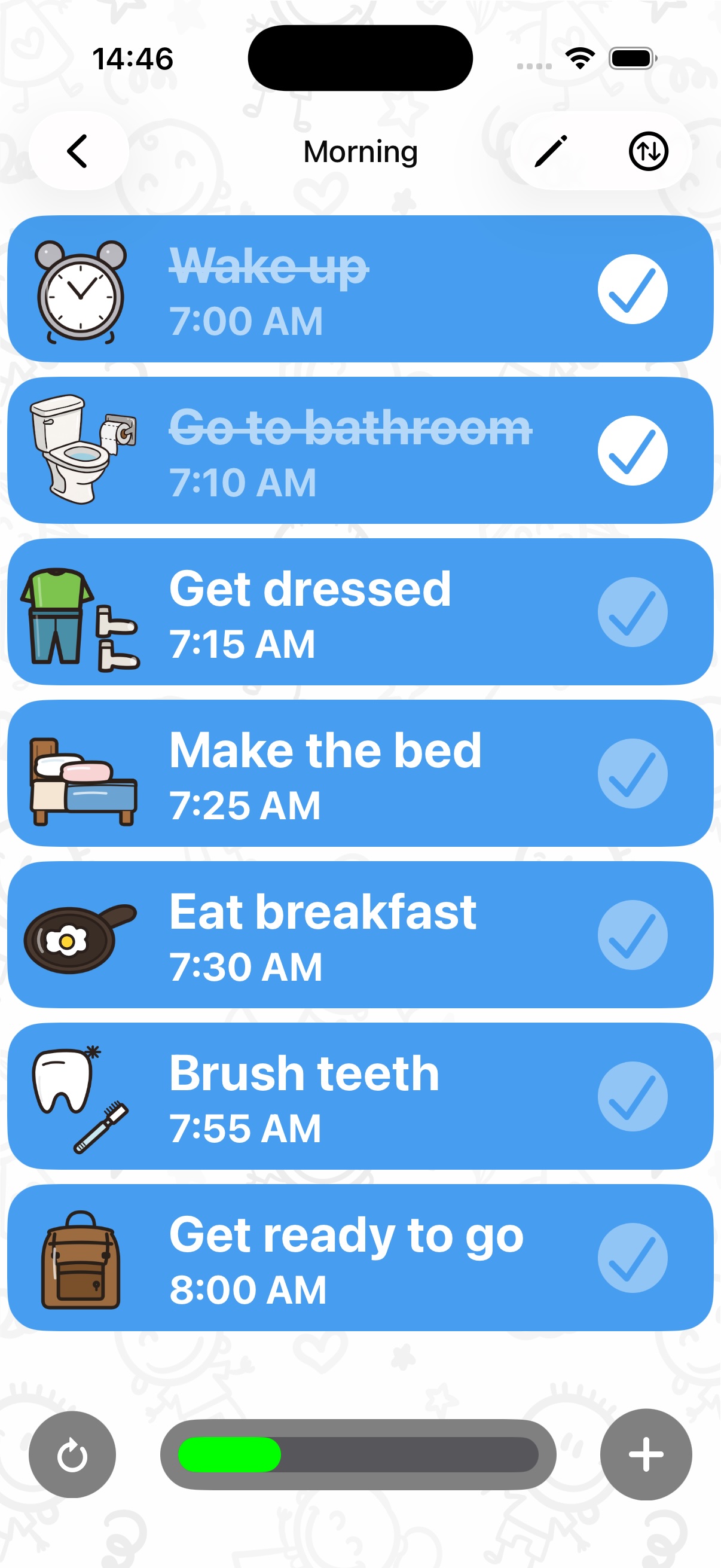
Visual Schedule app showing a kids daily routine with icon-based tasks and completion checkboxes
4.4★App Store rating
10k+families onboard
130+task icons
21languages
4+age rating
A peek inside

Routines your child can actually read

Every screen is built for young eyes: big icons, clear checkboxes, friendly timers — and confetti when the day is done.

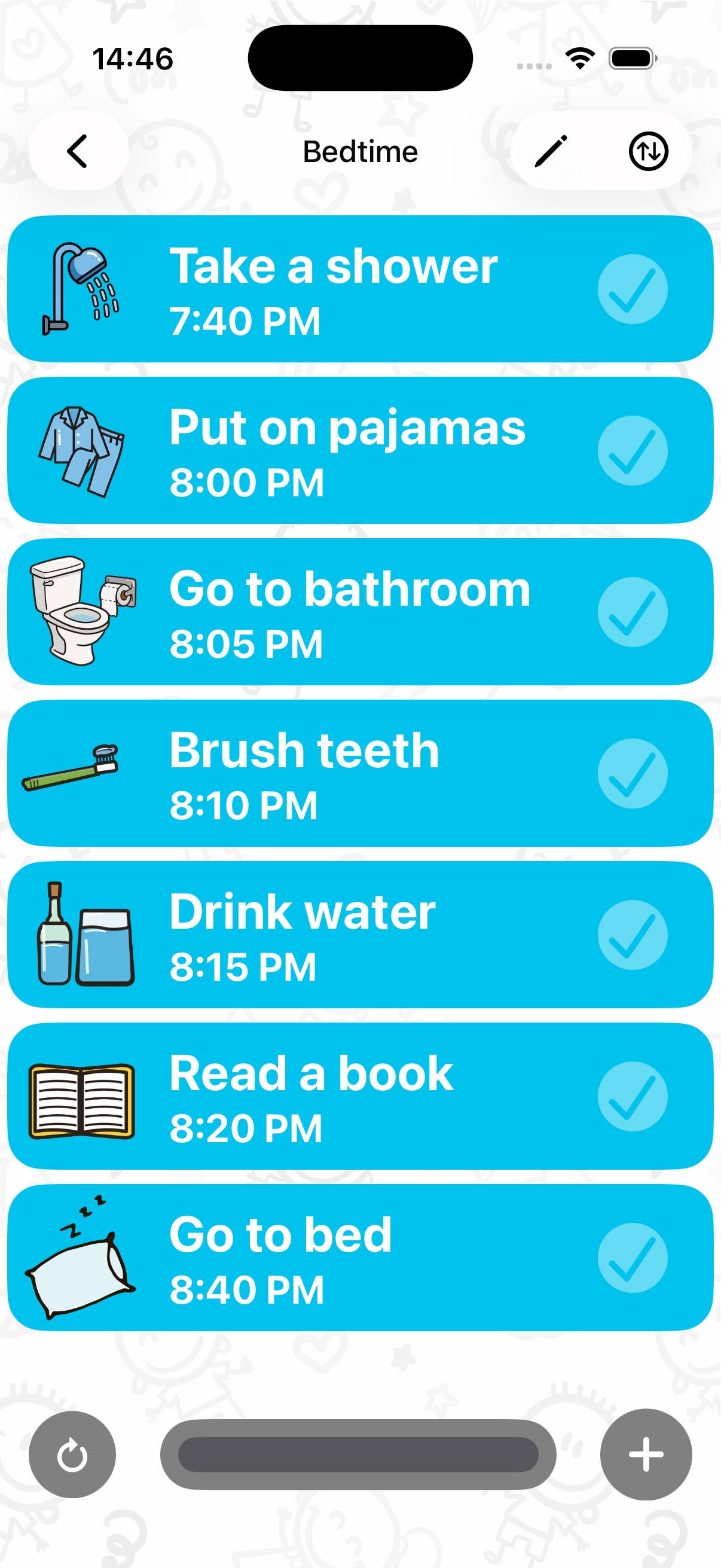
Daily visual schedule for kids with icon tasks and checkboxes
Icon-based daily routine
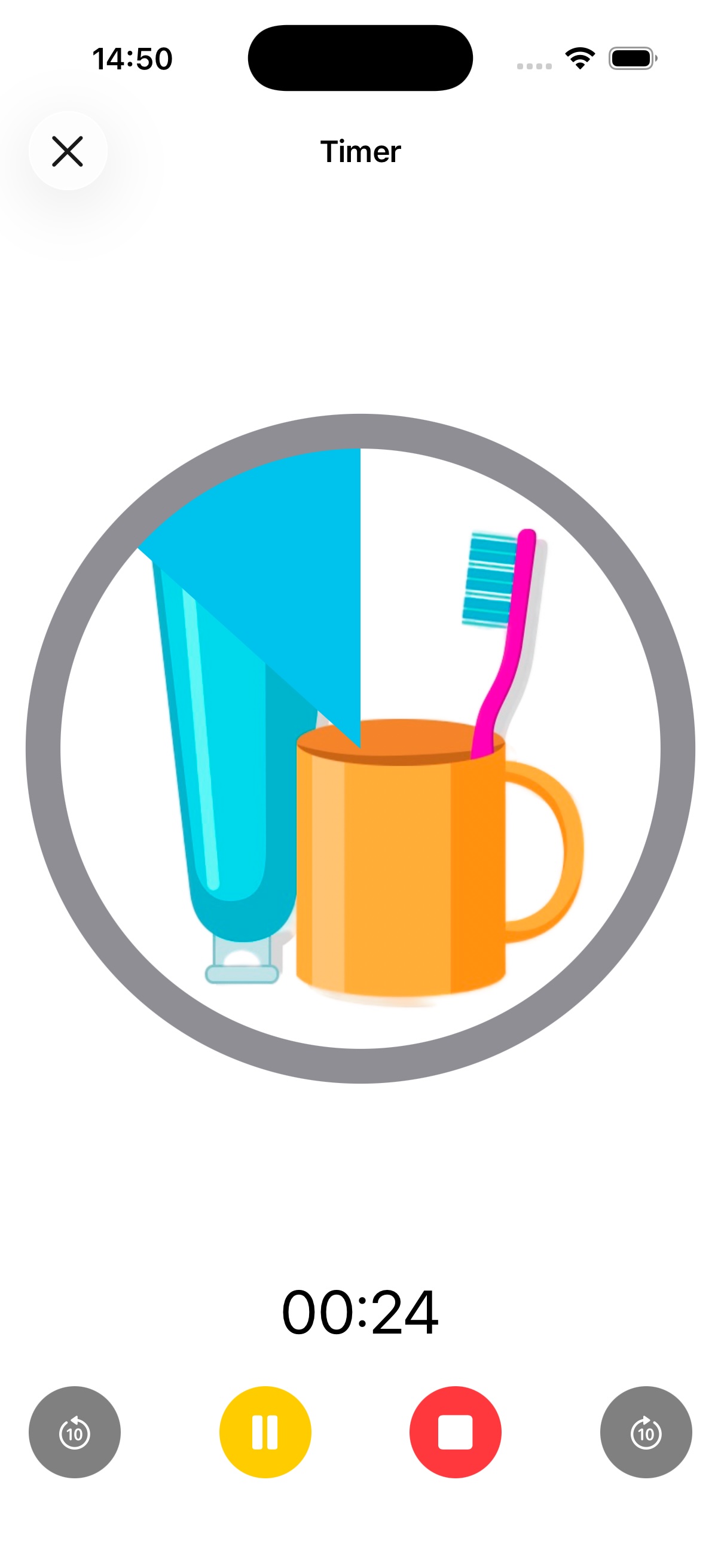
Full-screen visual timer for a tooth brushing task in the kids routine app
Full-screen visual timer
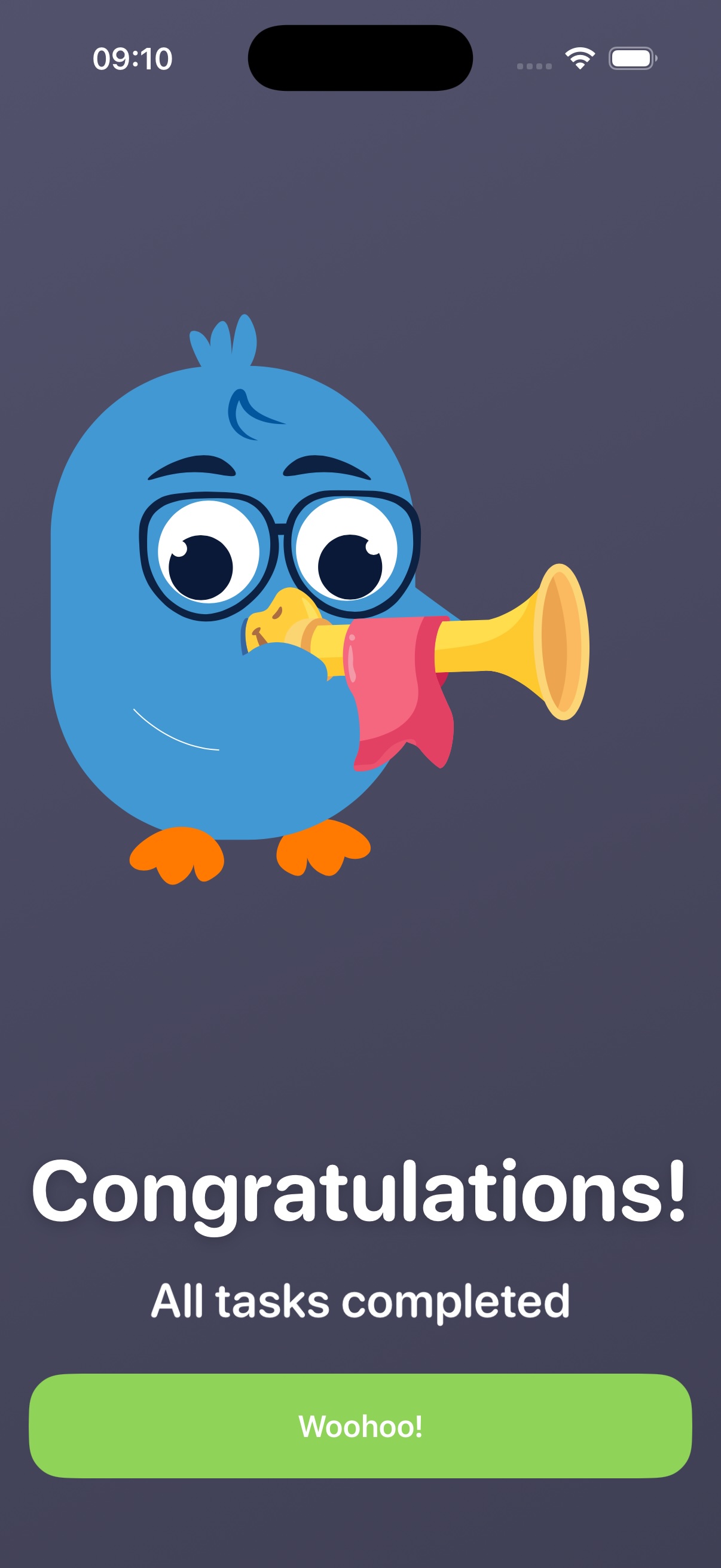
Confetti celebration when a child completes their visual schedule
Confetti when tasks are done
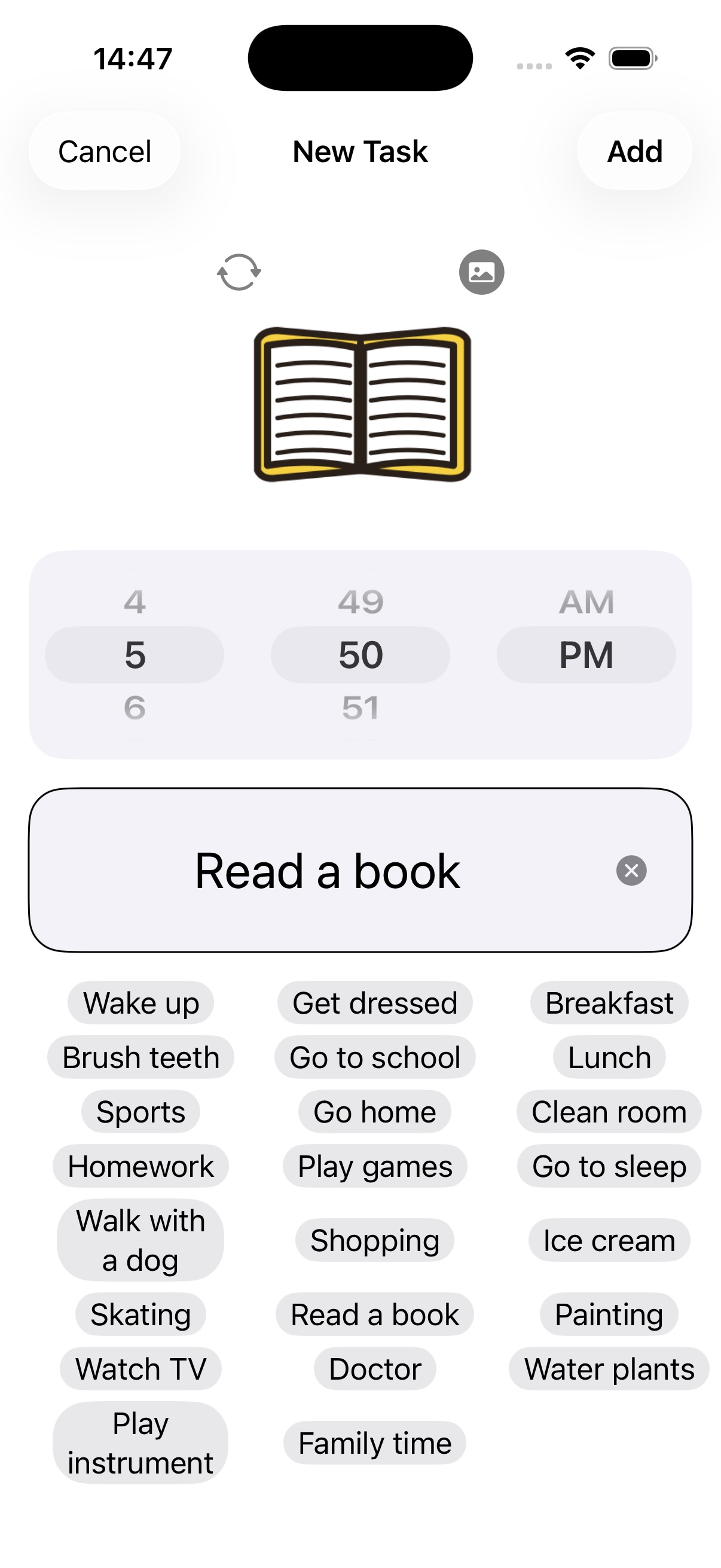
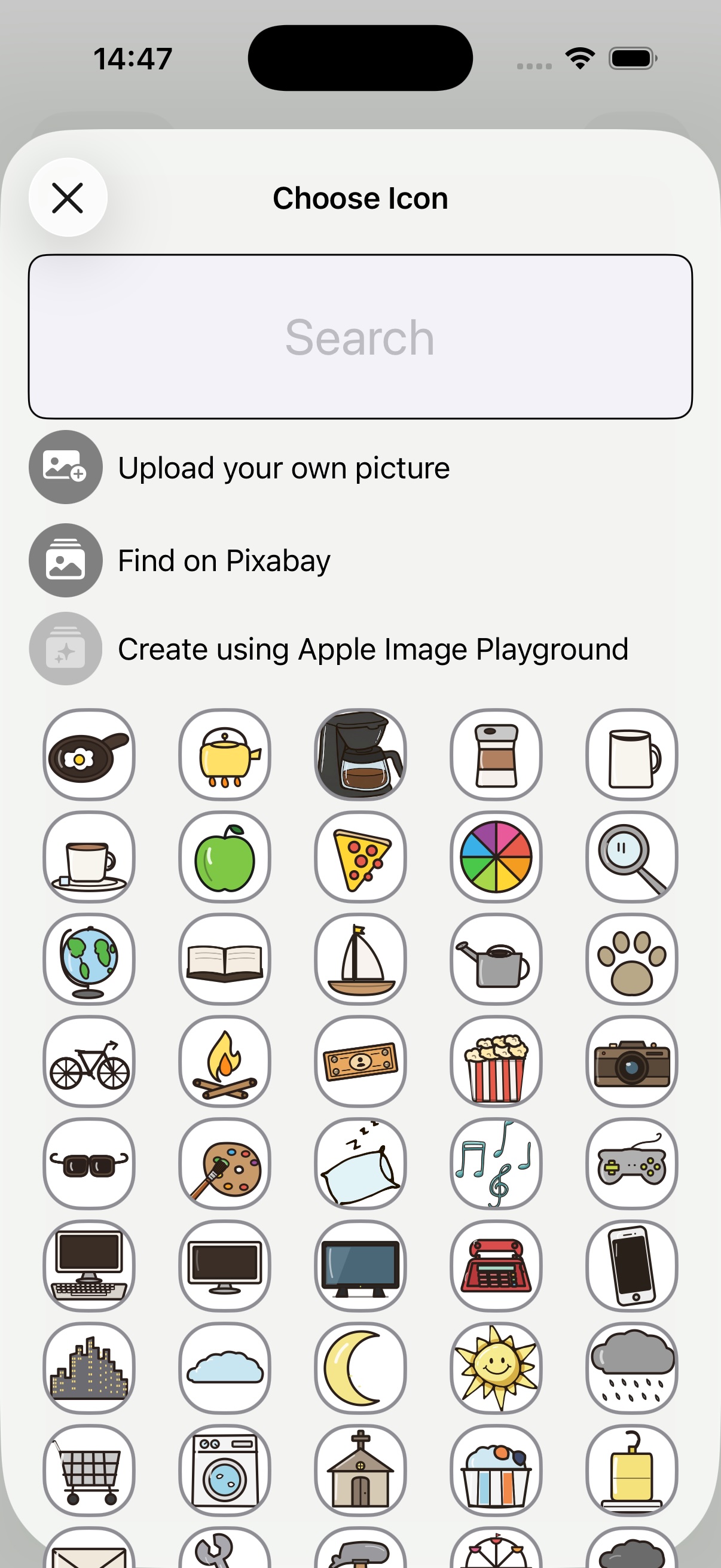
Icon library with over 130 icons for building picture schedules
130+ icons, photos & Pixabay
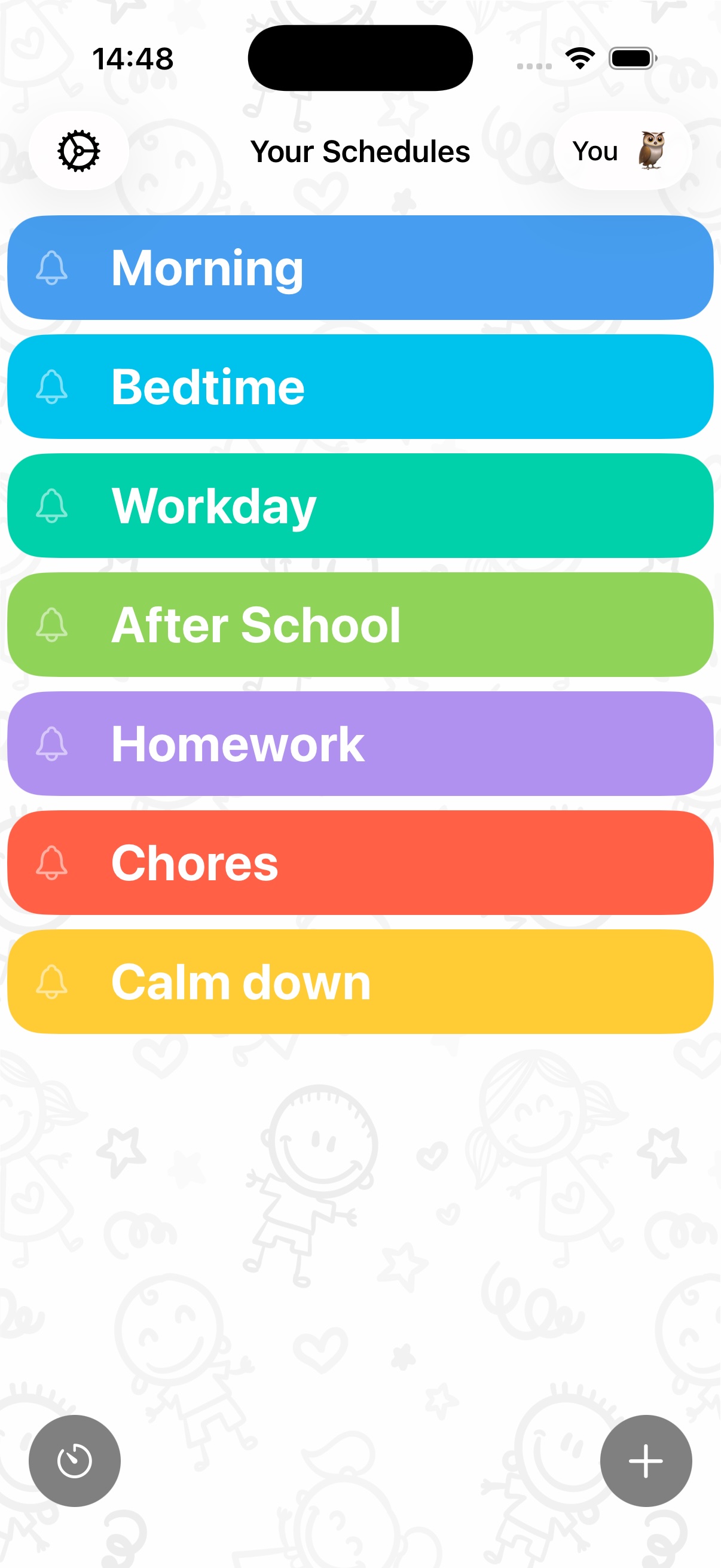
Color-coded weekly overview of a kids daily schedule
Color-coded week view
Setting an activity reminder with a time picker in the daily routine app
Alerts & reminders
AI-generated task icons created with Apple Image Playground
AI icons with Apple Intelligence
Structured daily plan with time-based entries and visual icons
Time-based daily plans
Multi-day visual schedule structure for better organization
Plan across the week
Visual Schedule daily routine planner on iPhone
Everything in one place
How it works

From "When is lunch?" to a calm, predictable day

Set up your first routine in under five minutes — templates included.

1

Build the day in pictures

Add tasks and pick from 130+ icons, your own photos, Pixabay images — or generate icons with Apple Intelligence. Ready-made routine templates get you started fast.

2

Add times & timers

Give each activity a start time and reminder. Launch the full-screen visual timer so your child can literally watch time — with a final countdown and gentle alerts.

3

Let your child take over

Kids see what's now and what's next, and check tasks off themselves. Kid Profiles keep each child's schedules, tasks and progress separate.

4

Celebrate the wins

Every checked box means progress they can feel — and finishing the schedule triggers a confetti celebration that keeps motivation high, even for the boring tasks.
Free to download. Calmer by tonight.

Visual Schedule is free on iPhone and iPad, with optional premium features. Set up tomorrow morning's routine before bed and see the difference at breakfast.

Get Visual Schedule free
Parent guides

Guides for real routine problems

Practical, step-by-step help for the moments that made you search in the first place.

FAQ

Questions parents ask

What is a visual schedule app?
A visual schedule app shows your child's day as a sequence of pictures, icons and timers instead of text. Each activity is a tile the child can see, understand and check off — so kids with autism, ADHD or kids who can't read yet can follow routines independently. Learn more →
Does a visual schedule help children with autism?
Yes — visual supports are one of the most widely recommended strategies for autistic children. Seeing what comes next makes the day predictable, reduces anxiety around transitions and builds independence. Learn more →
How does a routine app help a child with ADHD?
ADHD makes working memory and task initiation hard. Visual Schedule externalizes the routine — icon tiles, a full-screen focus timer, reminders, and a satisfying checkbox with confetti — so the schedule does the remembering, not the child. Learn more →
Can toddlers and non-readers use Visual Schedule?
Yes. Tasks are shown with 130+ icons, your own photos, or Pixabay images, so children who can't read yet can follow their picture schedule on their own. Learn more →
Does Visual Schedule have a visual timer for kids?
Yes. Every task can run a full-screen visual timer with a final countdown plus visual and sound alerts — great for tooth brushing, homework blocks or ending screen time. Learn more →
Can I use it as a first-then board?
Yes. Create a two-task schedule — the "first" activity followed by the preferred "then" activity — so your child sees exactly what good thing follows the hard task. Learn more →
Will it fix our chaotic mornings before school?
Mornings are the #1 use case. Build a picture-based morning routine — wake up, dressed, breakfast, shoes — add timers to each step, and let your child move through the morning without being nagged. Learn more →
Does it help with transitions and meltdowns?
Predictability is the best transition strategy. Kids can always see what's next, and countdown timers warn that an activity is ending — so transitions stop being surprises. Learn more →
Is Visual Schedule free?
Yes — free to download and use on iPhone and iPad, with optional premium features via in-app purchase. Download it free →
Can I set up more than one child?
Yes. Kid Profiles let you create a separate profile for each child, each with their own schedules, tasks and progress — one phone, the whole family organized.
Can teachers use it in the classroom?
Absolutely. Teachers and special educators use it as a digital classroom visual schedule — no more printing and laminating cards. Learn more →

Tomorrow can be the calm day

Join 10,000+ families using Visual Schedule to turn daily battles into routines kids follow on their own.

Download free on the App Store

4.4 · 769 ratings · iPhone, iPad & Mac